A marble game still wearing its debug colours
a-marble-game-that-generates-its-own-levels is about how lost-your-marbles
works: the tile → voxel → mesh → collider pipeline, the control server, the
enemy marbles, all the camera commits. This one is about what it looks like,
because I’d never actually put a picture of it anywhere. I built it fresh and
ran it on a Mac. The answer is that it looks like the last thing I was
debugging.
Here’s a plain run of the default dungeon mode, HUD and all:
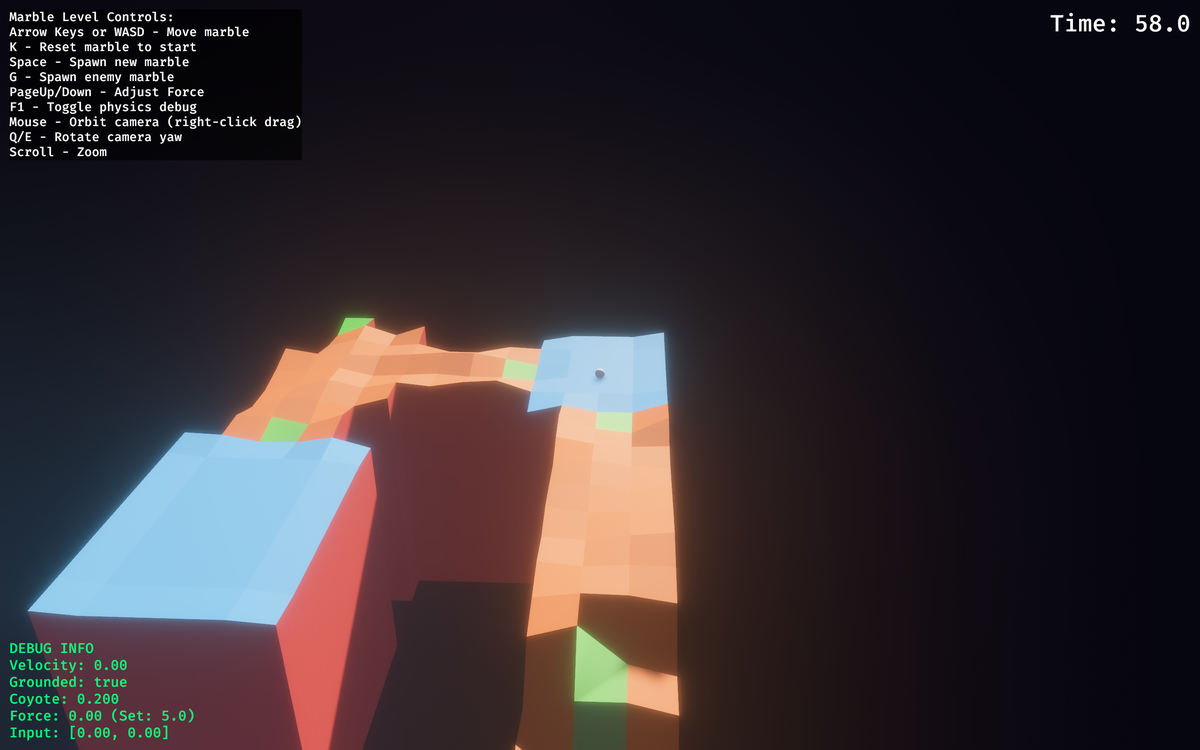
Red is walls, green is flat floor, and the gold cube (you’ll see it below) is
the goal, emissive so the bloom picks it up. The orange, blue and purple are
the interesting part. They’re FloorDetailType (grooves, ripples, bowl): the
little sine-wave channels and dimples from the last session in December, whose
prompt was “make the floor details more obvious by giving them a different
material color so I can accurately work on this feature.” The materials in
sandbox.rs still sit under a comment saying “distinct colors for visual
debugging”. floor_detail_chance is 1.0, so every eligible room gets one,
and a second pass puts grooves on wide corridors too. So most of what you walk
on is debug orange. I don’t think that was ever meant to be the art direction.
It might be worth keeping anyway (I sort of like it), but it’s an accident.
The marble is the white dot in the middle. It’s a few pixels across in a 1280×800 window, because the zone camera frames the room, not the ball. That’s probably the trade the camera work ended up making: you can read the terrain but you can barely see yourself.
The controls overlay is a bit out of date too. It lists right-drag orbit, Q/E
yaw and scroll zoom, but as far as I can tell orbit_camera_controls is only
registered in the plain physics sandbox, not in the marble-level app. I think
that text came over from the viewer.
The intro pan
Each level opens with a 2.5 second fly-through from the goal back to the start.
It follows the actual solution path (analyze_critical_path, a Dijkstra over
the tile grid) smoothed with a Catmull-Rom spline, so the preview doubles as a
hint:
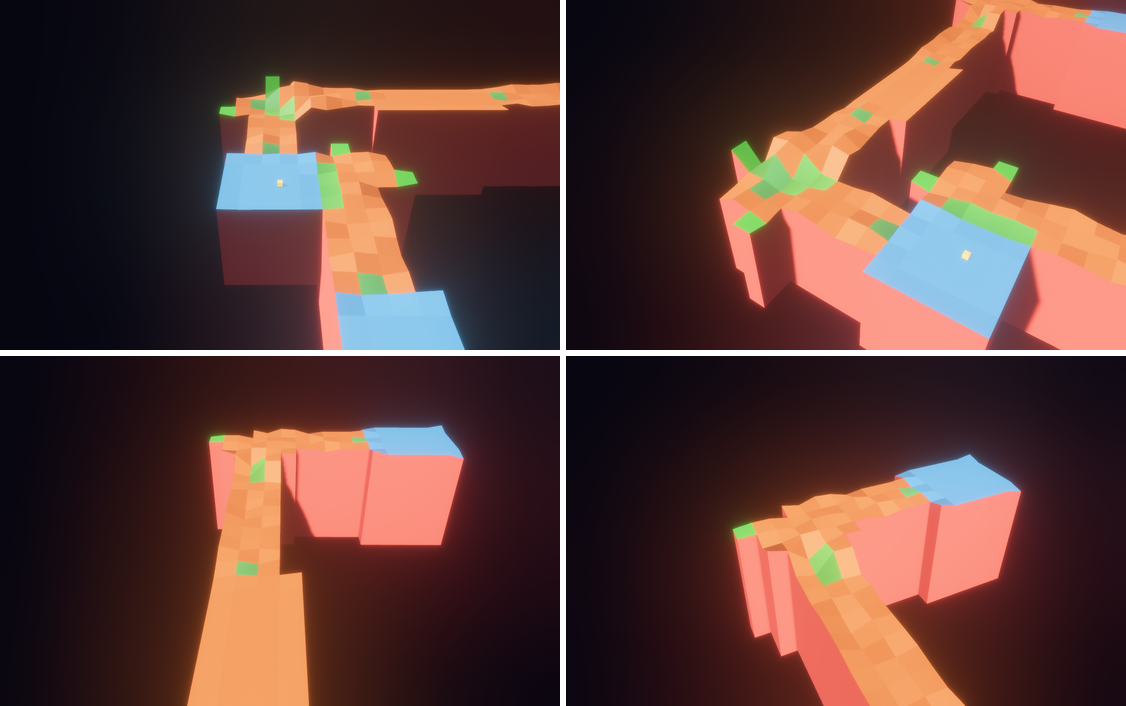
Four seeds, all at level 1, which caps the dungeon at four rooms however big the grid is, so the variety comes from layout and height more than from room count:
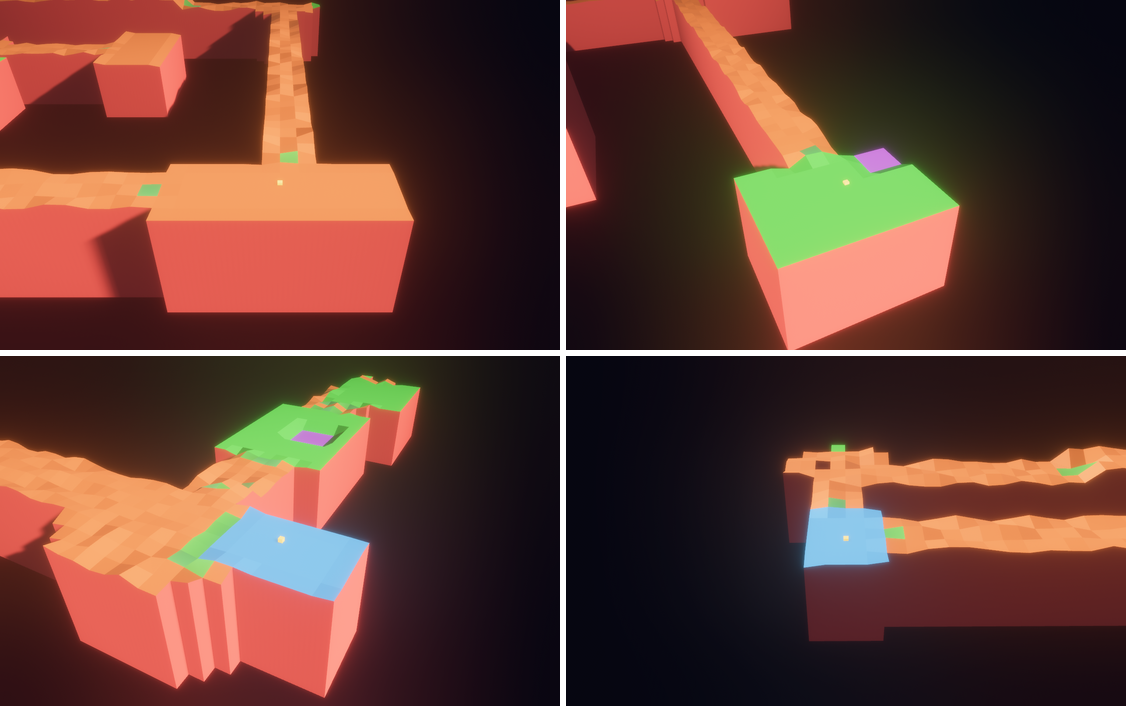
GenerateLevel commandSlopes are supposed to be colour-coded by direction now (four greens, from
0.35, 0.75, 0.30 through 0.25, 0.65, 0.35, plus brighter vertex colours at
the high edge). I honestly can’t tell them apart from flat floor in any of
these frames. The December note says players had trouble judging slopes, and
from the pictures I’d guess they still would.
The reveal, and two kinds of sphere
The marble is hidden during the intro, then dropped in with a burst of 24 emissive particles in five colours:
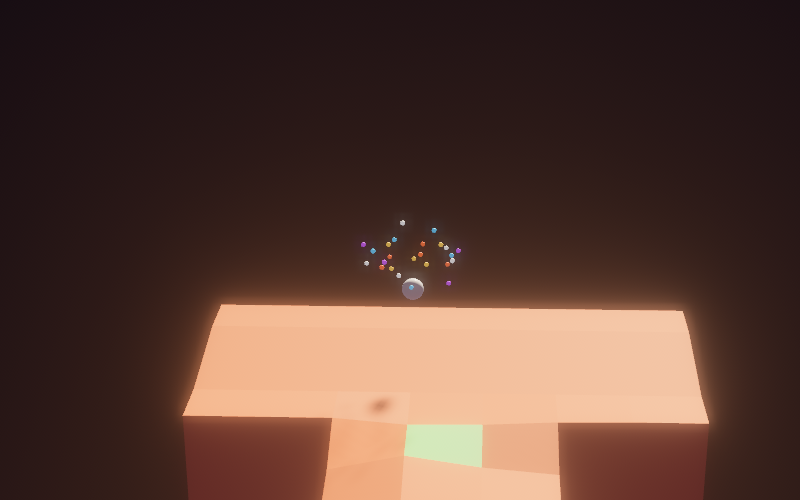
That marble is smooth for a reason. On 5 December it was swapped from a
greedy-meshed voxel sphere to Bevy’s Sphere::new(0.3).mesh().ico(4) because
the faceted mesh made its shadow look painted on. But the swap only happened in
that one spawn path. enemy_ai.rs still builds enemies from
VoxelGrid::sphere(0.3, 0.05) through the greedy-mesher (with a comment
saying “same as player”), so the two kinds sit side by side:
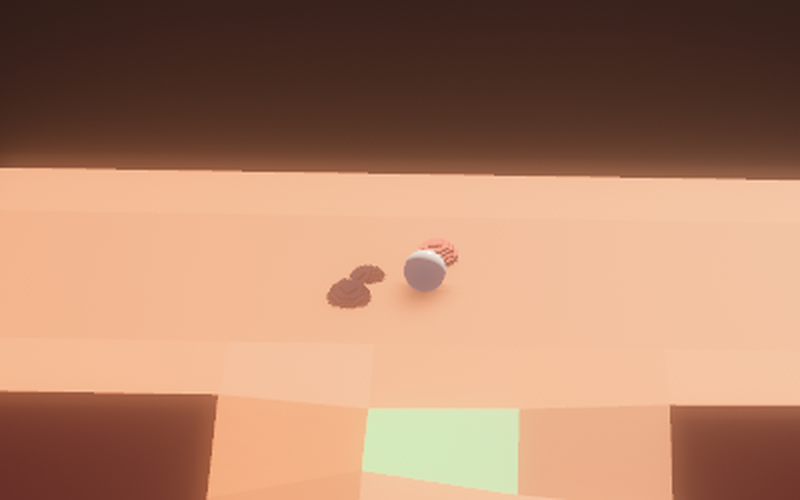
SpawnEnemy over HTTP, timer disabled, cropped and upscaled 2×They went straight for the player, which I think is the Chasing state doing
its job at aggression 0.9. Red on orange doesn’t read especially well, though.
The other generator
--graph mode is a different game visually. Instead of a tile grid it lays a
spline through a node graph and sweeps a banked ribbon along it (the log for
one seed has bank angles up to about 23°), with a follow camera instead of
zones and no intro pan to speak of:

Its marble comes from yet another spawn path that still uses the voxel
sphere, which is why it’s visibly stepped here. Same 0.3 radius, same
0.05 voxel size as the enemies.
I hadn’t expected the screenshots to be the part that told me most about it. Reading the code, it’s a level generator with a game around it. Looking at it, it’s a game paused halfway through a visual pass: debug materials still on, one of three marbles fixed, slope colours too subtle to see. The things the December prompts asked for are all there; they just haven’t been tidied up.
How these were made
All in a scratch clone, not committed anywhere: a small temporary system that
calls Bevy 0.14’s ScreenshotManager::save_screenshot_to_disk, triggered at
set times after each state change, plus an env flag to hide the UI. Levels and
enemies were driven through the HTTP control API on port 8080, the same one
the Python player uses. I also fixed the window at 1280×800 (it defaults to 1280×720). Crops are noted in the captions. Nothing else about
the rendering was changed.